How to move the wire shelves in your DC-L HD series Bushman fridge (2026+ DC-L Series)
- Date Published: 8 July 2026
-
 Bushman Fridges
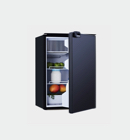
We know that everyone has different preferences and needs when it comes to organising their fridges. Luckily it’s easy to move the shelves in the Bushman DC-L HD series fridge.
You will need
- A Phillips head screwdriver
- A small flat screwdriver
Steps to adjust the wire shelves on the Bushman DC-L HD fridge
1. Remove the shelf bracket
Using your flat screwdriver, find the soft little plastic grommet next to the shelf you want to remove. Take out the grommet by giving it a flick, then use your Phillips head screwdriver to unscrew the plastic shelf bracket.
2. Remove the shelf clip
Lift off the shelf clip and slide the wire shelf out.
3. Choose your new shelf location and remove the screw
Now, locate the new channel where you want your shelf to go. Here you’ll find a little white plastic cap. Flick off the cap, then use your Phillips head screwdriver to remove the screw that sits behind it.
4. Insert the shelf and bracket
Insert the wire shelf into the new channel. Get the white plastic bracket and position it in the new channel. Screw it into place using your Phillips head screwdriver. TIP – we suggest screwing this finger tight only. Don’t over-tighten, to avoid stripping the thread. Put the little grommet back into cover the hole.
5. Cover the old screw hole
Put the little white cap from step 3 back and screw in to the leftover hole.
Your newly positioned shelf is ready!
Now you can enjoy your fridge with a perfectly positioned shelf. If you need to adjust it again, follow the steps above as needed.